

Win10竟會(huì)損壞用戶(hù)文件!可通過(guò)Windows Update升級(jí)KB5003214補(bǔ)丁進(jìn)行修
如果你是一名音樂(lè)發(fā)燒友,那么應(yīng)該知道Flac這種常見(jiàn)的無(wú)損音樂(lè)格式。Flac音樂(lè)文件支持metadata,用戶(hù)可以編輯metadata,讓音樂(lè)文件帶有藝術(shù)家、所屬專(zhuān)輯、音軌等等信息。
通常來(lái)說(shuō),metadata和音頻數(shù)據(jù)并不相關(guān),修改metadata并不會(huì)影響音頻本身。
但是,近日微軟官方公布了Win10中存在一個(gè)Bug,在Win10中用資源管理器修改Flac文件的metadata,竟會(huì)導(dǎo)致音頻的損壞!
根據(jù)Windows Latest的報(bào)道,微軟最新發(fā)布的一份支持文件披露,如果在Win10的2004或者更高版本中,使用文件資源管理器修改Flac音樂(lè)文件的metadata,就會(huì)損耗Flac音頻文件。
這個(gè)Bug在Win10專(zhuān)業(yè)版、家庭版、企業(yè)版、工作站版乃至其他版本的Win10中均有出現(xiàn)。
根據(jù)微軟本月早些時(shí)候發(fā)布的支持文件,Win10的文件資源管理器導(dǎo)致了這個(gè)錯(cuò)誤,它破壞了Flac文件頭包含的ID3框架也就是metadata,而這個(gè)ID3框架負(fù)責(zé)存儲(chǔ)音頻的注釋?zhuān)缫魳?lè)標(biāo)題、藝術(shù)家、專(zhuān)輯、曲目編號(hào)等。
在Win10上,F(xiàn)lac的處理程序忽視了ID3框架,該程序認(rèn)為Flac文件在使用4字節(jié)的文件頭,當(dāng)Flac文件被Win10編輯的時(shí)候,ID3框架被覆蓋了,導(dǎo)致沒(méi)有了開(kāi)始代碼,導(dǎo)致了音樂(lè)播放器無(wú)法識(shí)別被修改后的文件。
因此,在Win10中,如果你直接用文件資源管理器修改Flac音樂(lè)文件的標(biāo)題、藝術(shù)家等metadata,會(huì)導(dǎo)致該文件無(wú)法播放。
幸運(yùn)的是,微軟已經(jīng)確定了Bug的根本原因,用戶(hù)可以通過(guò)Windows Update升級(jí)KB5003214補(bǔ)丁進(jìn)行修復(fù)。
在KB5003214補(bǔ)丁中,微軟確認(rèn)了上文提到的錯(cuò)誤已經(jīng)被修復(fù),修改了Flac的標(biāo)題、藝術(shù)家等metadata后,F(xiàn)lac不會(huì)再變得無(wú)法播放。
而對(duì)于已經(jīng)損壞了的Flac文件,微軟則發(fā)布了一個(gè)PowerShell腳本來(lái)進(jìn)行修復(fù),運(yùn)行該腳本后Flac文件即可重新播放,不過(guò)已經(jīng)從ID3框架中丟失了的metadata信息并不能恢復(fù)。
下面是利用PowerShell腳本修復(fù)Flac文件的具體方法。
1、開(kāi)啟記事本;
2、復(fù)制以下字符,粘貼到記事本中:
# Copyright 2021 Microsoft
# This script will repair a FLAC file that has been corrupted by Media Foundation in reference to KB5003430.
# Refer to KB5003430 for further information
param(
[parameter(Mandatory=$true,
HelpMessage="The path to the FLAC file that has been corrupted by Media Foundation",
ValueFromRemainingArguments=$true)]
[ValidateScript({ -not [String]::IsNullOrEmpty($_) -and (Test-Path $_) })]
[String]$File
)
# We need to back up the current file incase we have any errors
$FileDirectory = Split-Path -Resolve $File
$Filename = Split-Path -Leaf -Resolve $File
$FullPath = Join-Path -Resolve $FileDirectory $Filename
$Filename = [String]::Format("Backup_{0:yyyyMMdd_hhmmss}_{1}", [DateTime]::Now, $Filename)
$BackupLocation = Join-Path $FileDirectory $Filename
Write-Output "Microsoft FLAC Repair Tool. This tool will repair a FLAC audio file that was corrupted when editing its details."
Write-Output "Affected File: $FullPath"
Write-Output "A backup of the file will be made: $BackupLocation"
Write-Output "Do you wish to continue?"
$choice=$host.ui.PromptForChoice("Fixing FLAC Script", "Do you wish to continue", ('&Yes', '&No'), 1)
function ParseStreamInfoMetadataBlock([System.IO.FileStream]$stream)
{
$blockType = $stream.ReadByte()
$lastBlock = ($blockType -shr 7) -ne 0
$blockType = $blockType -band 0x7F
if ($blockType -ne 0)
{
return $false
}
$blockSize = (($stream.ReadByte() -shl 16) -bor ($stream.ReadByte() -shl 8) -bor $stream.ReadByte())
if ($blockSize -lt 34)
{
return $false
}
$minAudioBlockSize = ($stream.ReadByte() -shl 8) -bor $stream.ReadByte()
$maxAudioBlockSize = ($stream.ReadByte() -shl 8) -bor $stream.ReadByte()
if ($minAudioBlockSize -lt 16 -or $maxAudioBlockSize -lt 16)
{
return $false
}
$minFrameSize = (($stream.ReadByte() -shl 16) -bor ($stream.ReadByte() -shl 8) -bor $stream.ReadByte())
$maxFrameSize = (($stream.ReadByte() -shl 16) -bor ($stream.ReadByte() -shl 8) -bor $stream.ReadByte())
$sampleInfo = (($stream.ReadByte() -shl 24) -bor ($stream.ReadByte() -shl 16) -bor ($stream.ReadByte() -shl 8) -bor $stream.ReadByte())
$sampleRate = $sampleInfo -shr 12
$channelCount = (($sampleInfo -shr 9) -band 0x7) + 1
$bitsPerSample = (($sampleInfo -shr 4) -band 0x1F) + 1
[UInt64]$sampleCount = (($stream.ReadByte() -shl 24) -bor ($stream.ReadByte() -shl 16) -bor ($stream.ReadByte() -shl 8) -bor $stream.ReadByte())
$sampleCount = (([UInt64]$sampleInfo -band 0xF) -shl 32) -bor $sampleCount
$MD5HashBytes = New-Object byte[] 16
$stream.Read($MD5HashBytes, 0, $MD5HashBytes.Length)
$MD5Hash = [Guid]($MD5HashBytes)
if ($sampleRate -eq 0)
{
return $false
}
# Passing these checks means that we likely have a stream info header and can rebuild the file
Write-Output "File Stream Information"
Write-Output "Sample Rate: $sampleRate"
Write-Output "Audio Channels: $channelCount"
Write-Output "Sample Depth: $bitsPerSample"
Write-Output "MD5 Audio Sample Hash: $MD5Hash"
return $true
}
if ($choice -eq 0)
{
Copy-Item $FullPath -Destination $BackupLocation -Force
$stream = [System.IO.File]::Open($FullPath, [System.IO.FileMode]::Open)
$stream.Seek(4, [System.IO.SeekOrigin]::Begin)
while ($stream.ReadByte() -eq 0) {}
# We now need to figure out where a valid FLAC metadata frame begins
# We are likely pointing to the last byte of the size member so we'll seek back 4 bytes and retry
$flacDataStartPosition = $stream.Position - 4
$stream.Seek($flacDataStartPosition, [System.IO.SeekOrigin]::Begin)
while (-not(ParseStreamInfoMetadataBlock($stream)))
{
$flacDataStartPosition = $flacDataStartPosition + 1
$stream.Seek($flacDataStartPosition, [System.IO.SeekOrigin]::Begin)
}
# Insert the start code
$stream.Seek($flacDataStartPosition, [System.IO.SeekOrigin]::Begin)
if (Test-Path "$FullPath.tmp")
{
Remove-Item "$FullPath.tmp"
}
$fixedStream = [System.IO.File]::Open("$FullPath.tmp", [System.IO.FileMode]::CreateNew)
[byte[]]$startCode = [char[]]('f', 'L', 'a', 'C');
$fixedStream.Write($startCode, 0, $startCode.Length)
$stream.CopyTo($fixedStream)
$stream.Close()
$fixedStream.Close()
Move-Item -Force "$FullPath.tmp" $FullPath
}
3、保存文件,在“另存為”對(duì)話(huà)框中,將目錄定位到你想要保存PowerShell腳本的位置;
4、在文件名輸入框中,輸入“FixFlacFiles.ps1”,將另存為文件的類(lèi)型更改為T(mén)ext Documents (*.txt);
5、進(jìn)入到你保存該P(yáng)owerShell腳本的目錄;
6、右鍵點(diǎn)擊剛剛保存的腳本,然后選擇“使用PowerShell運(yùn)行”;
7、出現(xiàn)提示時(shí),輸入無(wú)法播放的Flac文件的文件名,然后按下回車(chē)鍵。
微軟建議大家安裝本月推送的可選累積更新,以避免修改Flac文件metadata出現(xiàn)的問(wèn)題。
標(biāo)簽: Win10 損壞用戶(hù)文件 Bug 無(wú)損音樂(lè)格式
支持LTE Advanced的Surface Pro 8現(xiàn)在可以從微軟官網(wǎng)訂購(gòu)
2022-01-12 18:13:39
Check Point安全報(bào)告顯示去年企業(yè)受到的總體網(wǎng)絡(luò)攻擊量有明顯增加
2022-01-12 18:13:33
LG新能源稱(chēng)憑借積壓訂單將很快擊敗寧德時(shí)代
2022-01-12 18:13:24
Intel NUC迷你機(jī)產(chǎn)品線(xiàn)調(diào)整 12代酷睿平民版被砍
2022-01-12 18:13:18
美國(guó)因感染新冠病毒住院治療人數(shù)達(dá)到歷史最高水平
2022-01-12 18:13:13
NVIDIA宣布DLDSR AI超分辨率技術(shù):驅(qū)動(dòng)集成、無(wú)需游戲優(yōu)化
2022-01-12 18:13:08
5部手機(jī)同時(shí)抽中2300元“優(yōu)惠券” 掃地機(jī)器人大獎(jiǎng)背后是何套路?
2022-01-12 18:13:02
波音2021年飛機(jī)交付量大增 但仍落后于對(duì)手空客
2022-01-12 18:12:55
輝瑞疫苗合作商BioNTech:今年新冠疫苗的收入可能會(huì)減少
2022-01-12 18:12:50
加拿大研究顯示因感染新冠病毒住院的兒童出現(xiàn)嚴(yán)重并發(fā)癥的風(fēng)險(xiǎn)較高
2022-01-12 18:12:43
加拿大魁北克省將對(duì)拒絕接種新冠疫苗者處以高額罰款
2022-01-12 18:12:36

從27個(gè)行業(yè)標(biāo)桿,看2022營(yíng)銷(xiāo)與經(jīng)營(yíng)風(fēng)向標(biāo)|巨量引擎引擎獎(jiǎng)榜單公布 (FOR seo)
2022-01-12 16:50:28 
入場(chǎng)2022,從看懂這16個(gè)案例開(kāi)始|巨量引擎引擎獎(jiǎng)榜單公布
2022-01-12 14:16:53 iPhone14或采用藥丸形打孔屏 最全外形渲染圖都在這里了
2022-01-12 13:58:39
LG發(fā)布4K 160Hz游戲顯示器32GQ950
2022-01-12 13:58:33
iPhone 13 Pro DxO續(xù)航測(cè)試59小時(shí)
2022-01-12 13:58:22
聯(lián)想拯救者Y90已入網(wǎng):68W祖?zhèn)骺斐?/div>
2022-01-12 13:58:16
騰訊全新游戲品牌“騰訊先鋒”公布:不用下載
2022-01-12 13:58:08
蘋(píng)果拋光布重新上架 145元當(dāng)天發(fā)貨
2022-01-12 13:46:53
10秒銷(xiāo)售額破億!iQOO 9今日開(kāi)售戰(zhàn)報(bào)發(fā)布
2022-01-12 13:46:48
文戰(zhàn)元宇宙
2022-01-12 13:46:44
下月見(jiàn)!Redmi K50電競(jìng)版跑分曝光
2022-01-12 13:46:39
小米有責(zé)任,捐贈(zèng)1000萬(wàn)成立體育獎(jiǎng)學(xué)金
2022-01-12 13:46:34
配備單色OLED屏 山靈正式發(fā)布UA系列便攜解碼耳放UA5
2022-01-12 13:46:29
榮耀50系列榮獲“2021年度經(jīng)典煥新品牌”
2022-01-12 13:46:23
機(jī)構(gòu)發(fā)布報(bào)告稱(chēng)智能手表的銷(xiāo)量將繼續(xù)強(qiáng)勁增長(zhǎng)
2022-01-12 13:46:17
可選RTX 3070 Ti 150W滿(mǎn)功耗釋放 聯(lián)想拯救者 Y9000P 2022將發(fā)布
2022-01-12 13:46:12
曝真我GT2 Pro春節(jié)前上市 20日舉行預(yù)溝通會(huì)
2022-01-12 13:34:39

2022環(huán)境檢測(cè)機(jī)構(gòu)使命再升級(jí)
2022-01-12 09:59:21 
蘋(píng)果搜歌神器Shazam推出可識(shí)別播放歌曲的Chrome瀏覽器擴(kuò)展
2022-01-12 08:30:09 
微軟突然公開(kāi)macOS漏洞細(xì)節(jié)!蘋(píng)果發(fā)文感謝并稱(chēng)已確認(rèn)修復(fù)
2022-01-12 08:28:09 
ColorOS 12.1南德TUV A級(jí)認(rèn)證出爐:可堅(jiān)持36個(gè)月流暢不卡頓
2022-01-12 08:26:11 
企業(yè)微信4.0正式發(fā)布:強(qiáng)化品牌直播帶貨并全面接入騰訊文檔
2022-01-12 08:24:25 
微軟為Win11版Defender設(shè)計(jì)全新界面:調(diào)整UI并重構(gòu)底層界面
2022-01-12 08:22:56 
曝iPhone 14三種屏幕對(duì)比圖出爐:藥丸打孔屏大幅增加屏占比
2022-01-12 08:21:28 
iPhone14或采用藥丸形打孔屏:屏占比大幅提升,最高容量2TB
2022-01-12 08:19:22 
曝三星Galaxy S22系列處理器標(biāo)配高通驍龍8!頻率可達(dá)1300MHZ
2022-01-12 08:15:03 
NVIDIA宣布DLDSR AI超分辨率技術(shù):可提升任意游戲性能70%
2022-01-12 08:13:37 
PCIe 6.0正式發(fā)布:允許數(shù)據(jù)雙向流動(dòng),x16帶寬增至256GB/s
2022-01-12 08:12:23 蘋(píng)果:App開(kāi)發(fā)者已經(jīng)掙了2600億
2022-01-12 06:16:47
米哈游側(cè)目!騰訊人氣手游一年吸金178億:你貢獻(xiàn)多少
2022-01-12 06:16:42
別老拿愛(ài)優(yōu)騰跟Netflix比 根本不是一碼事
2022-01-12 06:16:36
Windows 11效率將更高 提高文件管理器性能
2022-01-12 06:16:28
你用多沉的啞鈴?這個(gè)智能產(chǎn)品對(duì)著說(shuō)就行
2022-01-12 06:16:21
Intel人事調(diào)整:CFO退休 新女將接任PC業(yè)務(wù)主管
2022-01-12 06:16:06
最佳開(kāi)發(fā)商 Xbox可以FaceTime 通話(huà)
2022-01-12 06:15:59
全球銷(xiāo)量破億!任天堂Switch OLED國(guó)行版開(kāi)賣(mài) 只要2599元
2022-01-12 06:15:55
曝真我GT2 Pro春節(jié)前上市 20日舉行預(yù)溝通會(huì)
2022-01-12 06:05:06
從核酸檢測(cè)到健康碼,為什么系統(tǒng)總是“崩了”?
2022-01-12 00:09:00
美聯(lián)社宣布進(jìn)軍NFT 主打新聞攝影市場(chǎng)
2022-01-12 00:08:55
種植牙將納入兩級(jí)醫(yī)保集采 降價(jià)幅度有望達(dá)到60%-90%
2022-01-12 00:08:46
1月28日至3月13日,北京禁飛“低慢小”航空器
2022-01-12 00:08:39
邢臺(tái)18歲女孩百草枯中毒 肺移植后已經(jīng)可以下床活動(dòng)
2022-01-12 00:08:33
全球上層海洋溫度連續(xù)第六年打破紀(jì)錄
2022-01-12 00:08:28
女外賣(mài)騎手的飛馳人生:成為零差評(píng)收割機(jī) 在男人堆里殺出一條活路
2022-01-12 00:08:17
iPhone 14 Pro與iPhone 13 Pro同框照曝光:新老外形對(duì)比強(qiáng)烈
2022-01-12 00:08:10
Rivian在2021年生產(chǎn)了超1000輛電動(dòng)汽車(chē) 符合下調(diào)預(yù)期
2022-01-11 23:39:04
達(dá)拉斯希望成為福特下一個(gè)自動(dòng)駕駛汽車(chē)工廠(chǎng)的所在地
2022-01-11 23:38:58
12月新能源車(chē)企銷(xiāo)量:比亞迪9.3萬(wàn)輛中國(guó)第一 特斯拉破7萬(wàn)
2022-01-11 23:38:47
富士康印度iPhone代工廠(chǎng)將于本周三小規(guī)模復(fù)工
2022-01-11 23:38:39
iPhone 14 Pro與iPhone 13 Pro同框照曝光
2022-01-11 23:38:33
12 代酷睿處理器的游戲 DRM 加密兼容問(wèn)題已解決
2022-01-11 23:38:26
微軟發(fā)現(xiàn)蘋(píng)果macOS“Powerdir”漏洞 蘋(píng)果已修復(fù)
2022-01-11 23:38:20
谷歌高管澄清 沒(méi)要求蘋(píng)果在安卓上提供iMessage
2022-01-11 23:38:14
微軟公開(kāi)macOS漏洞“Powerdir”細(xì)節(jié) 蘋(píng)果已更新修復(fù)
2022-01-11 23:38:07
消息稱(chēng)蘋(píng)果有望在 2024 年發(fā)布采用三星屏幕的 OLED iPad
2022-01-11 23:38:01
Omdia服務(wù)提供商聚焦:BT通過(guò)Eagle-i呈現(xiàn)全球安全服務(wù)野心
2022-01-11 23:37:53
2023年北京市工業(yè)互聯(lián)網(wǎng)核心產(chǎn)業(yè)規(guī)模將達(dá)1500億元
2022-01-11 23:37:48
中興通訊攜手聯(lián)通完成算力網(wǎng)絡(luò)服務(wù)調(diào)度PoC驗(yàn)證
2022-01-11 23:32:53
騰訊Switch發(fā)布微信紅包:任你花!
2022-01-11 23:32:38
已經(jīng)定版 小米12 Ultra將在春節(jié)之后發(fā)布
2022-01-11 23:32:20
RGB大Logo絕了!聯(lián)想拯救者Y90游戲手機(jī)入網(wǎng):搭載68W超級(jí)快充
2022-01-11 23:31:52
性能全方位提升 映眾RTX3080冰龍海量版首發(fā)
2022-01-11 23:31:43
技嘉發(fā)布升級(jí)版GeForce RTX 3080 12G顯卡
2022-01-11 23:31:36
曝真我GT2 Pro春節(jié)前上市 20日舉行預(yù)溝通會(huì)
2022-01-11 23:20:59
微軟突然公開(kāi)macOS漏洞細(xì)節(jié):蘋(píng)果已更新修復(fù)
2022-01-11 17:23:24
360回應(yīng)彈窗廣告太多:持續(xù)優(yōu)化用戶(hù)體驗(yàn) 禁止投放詐騙
2022-01-11 17:23:17
榮耀Magic V折疊屏來(lái)自京東方:屏占比95%
2022-01-11 17:23:10
一加真首發(fā)LTPO 2.0!跟友商的LTPO 2.0不一樣
2022-01-11 17:23:05
惠普發(fā)布OMEN系列新款顯示器 4K、144Hz旗艦規(guī)格
2022-01-11 17:22:58
LG化學(xué)擬投資4.19億美元在韓國(guó)新建陰極材料工廠(chǎng)
2022-01-11 17:22:48
劉海變膠囊 iPhone 14最新外形概念圖感受下
2022-01-11 17:22:43
支持五大衛(wèi)星定位 續(xù)航14天! 榮耀手表GS 3發(fā)布
2022-01-11 17:22:36
榮耀Magic V折疊手機(jī)為大屏優(yōu)化:微信邊聊邊看
2022-01-11 17:22:22
Intel解決12代酷睿兼容問(wèn)題 加密游戲不再閃退
2022-01-11 17:22:18
iQOO 9等機(jī)型通過(guò)電競(jìng)移動(dòng)終端硬件技術(shù)要求標(biāo)準(zhǔn)
2022-01-11 17:21:51
小米12官方拆機(jī)圖賞:小尺寸旗艦不白叫
2022-01-11 17:21:42
不上院線(xiàn)!《蜘蛛俠英雄無(wú)歸》2月底上數(shù)字版
2022-01-11 17:21:27
千元機(jī)新標(biāo)桿來(lái)了!魅藍(lán)回歸首款手機(jī)官宣:魅藍(lán)10明天見(jiàn)
2022-01-11 17:21:17
用特斯拉挖礦月入5000 網(wǎng)友實(shí)測(cè)真相了
2022-01-11 17:21:11
229美元 蘋(píng)果官網(wǎng)/Beats官網(wǎng)下架Beats Pill+音箱
2022-01-11 17:21:02
百萬(wàn)年終獎(jiǎng)穩(wěn)了 《王者榮耀》全球吸金178億
2022-01-11 17:20:50
聯(lián)想陳勁:moto edge X30有望成為618最保值機(jī)型
2022-01-11 17:20:37
曝真我GT2 Pro春節(jié)前上市 20日舉行預(yù)溝通會(huì)
2022-01-11 17:11:33

數(shù)“聚”保定 共贏未來(lái)
2022-01-11 16:27:40 
科大訊飛攜手玩創(chuàng)未來(lái),開(kāi)啟高質(zhì)量課后服務(wù)合作
2022-01-11 12:02:31 招聘信息曝光微軟的元宇宙計(jì)劃Vortex
2022-01-11 11:55:59
或考慮進(jìn)軍電動(dòng)自行車(chē)領(lǐng)域:Rivian申請(qǐng)相關(guān)商標(biāo)
2022-01-11 11:55:54
[圖]iOS端Gmail應(yīng)用更新:新增小部件可顯示最新3封郵件
2022-01-11 11:55:48
寶馬全新方向盤(pán)曝光 酷似特斯拉矩形方向盤(pán)
2022-01-11 11:55:43
熱門(mén)文章
- 1消息稱(chēng)Win11調(diào)整硬件安裝需求之后可運(yùn)行5.25寸軟盤(pán)
- 2蘋(píng)果iPad mini 6屏幕刷新率只有60Hz屏幕或不能滿(mǎn)足游戲需求
- 3三星永久關(guān)閉Tizen應(yīng)用商店:目前相關(guān)手機(jī)用戶(hù)已經(jīng)無(wú)法訪(fǎng)問(wèn)
- 4三星Galaxy S22 Ultra手寫(xiě)筆延遲突破2.8毫秒!成品預(yù)計(jì)今年2月推出
- 5Win11照片應(yīng)用迎來(lái)更新:重新優(yōu)化調(diào)整圖片編輯功能
- 6Chrome 97正式版預(yù)計(jì)年內(nèi)2月1日轉(zhuǎn)正 修復(fù)數(shù)十個(gè)安全BUG
- 7消息稱(chēng)iPhone 14 Pro前置攝像頭將采用藥丸屏設(shè)計(jì) FaceID轉(zhuǎn)移到顯示屏下
- 8對(duì)不起,我恐怕不能這么做?用戶(hù)發(fā)現(xiàn)蘋(píng)果Siri無(wú)法為Apple Music歌曲評(píng)分
- 9微信視頻號(hào)直播推出扶持不少于10萬(wàn)個(gè)優(yōu)質(zhì)商家激勵(lì)計(jì)劃 引導(dǎo)私域用戶(hù)直播
- 10微信支持?jǐn)?shù)字人民幣支付:將新增“使用數(shù)字人民幣付款”選項(xiàng)
熱點(diǎn)專(zhuān)題
-
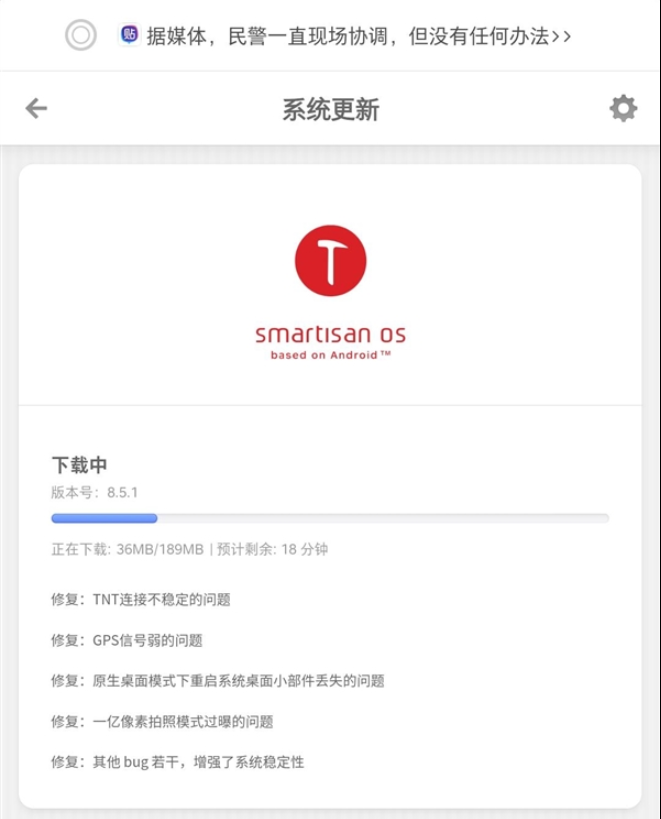 絕版旗艦堅(jiān)果R2獲更新:TNT連...1月7日消息,堅(jiān)果R2用戶(hù)在百度貼吧反映,堅(jiān)果R2手機(jī)獲得了SmartisanOS更新,版本號(hào)為8 5 1,新版系統(tǒng)...
 -
 iPhone 13 Pro需求產(chǎn)能供不...富士康鄭州工廠(chǎng)又在招工了,iPhone的產(chǎn)能缺口看來(lái)很大。據(jù)悉,iPhone 13 Pro需求旺盛,最大組裝廠(chǎng)富士...
 -
 百度投資生物醫(yī)藥公司瑞順生...企查查APP顯示,1月4日,廣東瑞順生物技術(shù)有限公司發(fā)生工商變更,新增百度關(guān)聯(lián)公司三亞百川致新私募股權(quán)...
 -
 盜版軟件Popcorn Time宣布關(guān)...1月5日 消息:盜版軟件Popcorn Time宣布關(guān)閉了。這個(gè)通過(guò)盜版BitTorrent資源向用戶(hù)傳遞電影內(nèi)容,并承...
 -
 快手12月份打擊私單交易等詐...1月5日消息,日前,快手發(fā)布了最新一期關(guān)于嚴(yán)厲打擊詐騙類(lèi)帳號(hào)的公告,該平臺(tái) 12 月份共處罰詐騙類(lèi)帳...
 -
 再也不怕磁盤(pán)占用高了!微軟W...微軟的Office辦公軟件是每個(gè)打工人幾乎都離不開(kāi)的,它實(shí)際上是包括Word、Excel、PPT等多種軟件在內(nèi)的全...
 -
 黑莓BlackBerry OS停止運(yùn)行...1月4日,黑莓打造的BlackBerry OS停服。官方稱(chēng),黑莓不再提供適用于BlackBerry7 1OS及更早版本、Black...
 -
 Intel預(yù)熱12代雞血版i9-12900...今天晚上,Intel將會(huì)發(fā)布12代酷睿桌面版非K系列、移動(dòng)版,應(yīng)該會(huì)有博銳商務(wù)版,以及一個(gè)特殊型號(hào):i9-12...
 -
 曝5G版iPhone SE將于上半年...除了挖孔屏iPhone 14、M2處理器MacBook Air、40核CPU+128核GPU的Mac Pro等產(chǎn)品,蘋(píng)果名記Mark Gurma...
 -
 曝iPhone 14有望取消劉海設(shè)...對(duì)于iPhone 14來(lái)說(shuō),按照蘋(píng)果一貫的更新節(jié)奏看,這一代新機(jī)的外形要發(fā)生變化了,而去掉劉海,改用打孔...
Copy 2006-2020 財(cái)訊中國(guó) 版權(quán)所有<豫ICP備17019456號(hào)-9
聯(lián)系網(wǎng)站:52 78 229 @qq.com  營(yíng)業(yè)執(zhí)照公示信息
聲明:本站所有文章、數(shù)據(jù)僅供參考,使用前務(wù)請(qǐng)仔細(xì)閱讀法律聲明,風(fēng)險(xiǎn)自負(fù)。

相關(guān)新聞